
PV Combiner Box Installation: Wall vs Ground Mount Guide
Understanding PV Combiner Box Basics: Function and Components
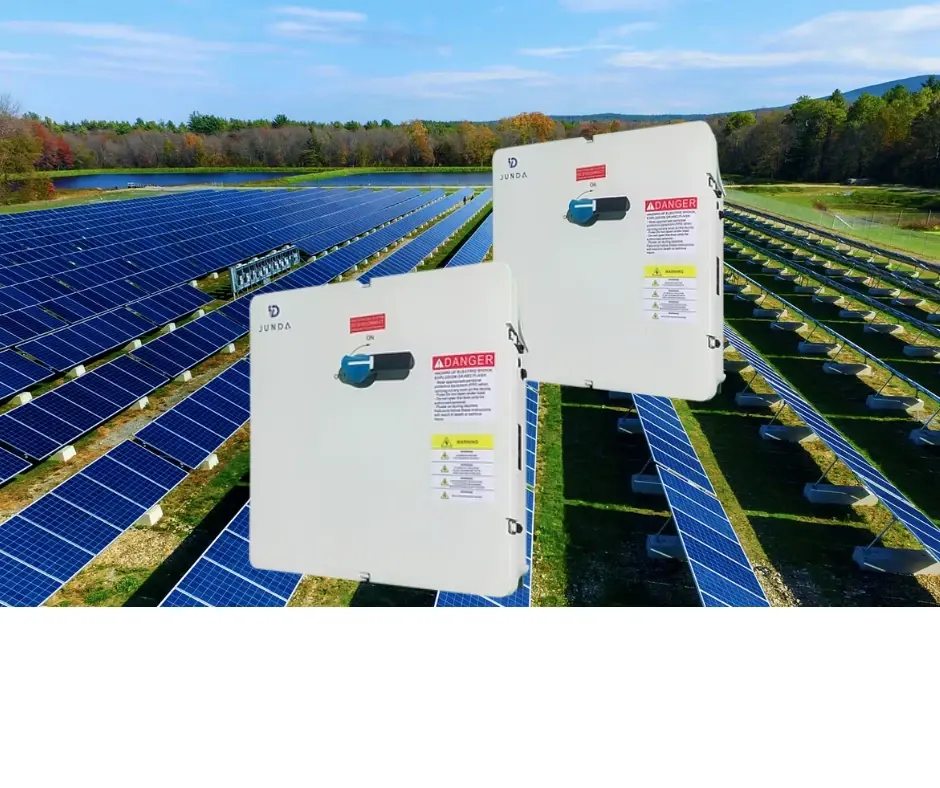
Before diving into the specifics of mounting and installation, a solid grasp of the combiner box's fundamental role is essential. This enclosure is the critical junction point in a solar array, consolidating multiple DC strings into a single output for the inverter. Understanding its internal components directly informs the physical mounting strategy, ensuring both electrical safety and long-term reliability.

1. Core Function and Role in the PV System
1.1 The Central Hub for DC Power
A pv combiner box serves as the central collection point for the direct current (DC) electricity generated by groups of solar panels, known as strings. Its primary function is to parallel the outputs of these strings, combining their current while maintaining the system voltage. This consolidated, high-current DC output is then fed to the inverter for conversion to AC power.
Positioned between the solar array and the inverter, it acts as a critical management and safety node. This strategic placement is why its physical mounting must be secure and accessible for both installation and future maintenance.
1.2 Key Operational Functions
Beyond simple consolidation, a modern combiner box integrates several vital protection and monitoring functions. These are not just add-ons but are core to system safety and performance, influencing the box's size and mounting requirements.
Circuit consolidation and current combining
Overcurrent protection via fuses or breakers
Surge protection from lightning or grid transients
Providing a safe DC disconnect point
Monitoring string-level performance (optional)
2. Essential Internal Components
2.1 Primary Protection Devices
The internal components are what define the combiner box's capabilities. Overcurrent protection devices (OCPDs), like fuses or DC breakers, are mandatory for each input string to protect against fault currents. They are rated for the specific DC voltage and current of the system, often 600V to 1500V and 15A to 30A per string in residential/commercial setups.
Equally critical is the Type 1 or Type 2 surge protective device (SPD), which safeguards sensitive electronics from voltage spikes. These components generate heat and have wiring requirements that dictate internal layout and, consequently, the box's overall dimensions.
Pro Tip: When planning your layout, junda-solar engineers emphasize leaving ample space around fuses and breakers for heat dissipation and easy access. A cramped box can lead to overheating and complicate routine maintenance checks.
2.2 Common Component Specifications
Selecting the right components is a balance of system parameters and code compliance. The National Electrical Code (NEC) dictates many of these specifications, particularly for voltage ratings and fault current interruption. A mismatch here can void warranties and create serious safety hazards.
The table below outlines typical specifications for key components in a commercial-scale system, providing a reference point for system designers and installers.
Component | Typical Specification | Key Purpose |
String Input Fuse | 15A - 30A, 1000VDC | Protects individual PV strings from overcurrent |
DC Disconnect Switch | 100A - 400A, 600VDC - 1500VDC | Isolates combiner box output for safe maintenance |
Surge Protective Device (SPD) | Type 2, 40kA Imax, 1000VDC | Diverts lightning-induced surges to ground |
Busbar | Tin-plated copper, 200A - 600A rating | Collects and distributes combined current to output |
With this foundational knowledge of the combiner box's purpose and parts, we can now effectively explore the critical decisions involved in its physical placement and secure mounting.
Pre-Installation Planning: Site Assessment and Tools Checklist
Thorough planning is the bedrock of a safe and efficient solar installation. This phase involves a detailed site assessment to ensure code compliance and optimal performance, followed by gathering all necessary tools and materials. A meticulous approach here prevents costly rework and safety hazards during the physical installation of combiner boxes and mounting brackets.
1. Conducting a Comprehensive Site Assessment
1.1 Evaluating Environmental and Code Factors
A proper site assessment goes beyond simple measurements. It requires evaluating sun exposure and potential shading throughout the year to ensure optimal array placement. You must also consider local weather patterns, including wind loads and snow accumulation, which directly impact the structural requirements for mounting brackets.
Compliance with the National Electrical Code (NEC) Article 690 is non-negotiable. This governs clearances, labeling, and the placement of equipment like combiner boxes relative to the array and inverter.
1.2 Proximity and Accessibility Planning
Strategic placement of the combiner box is critical for system efficiency and maintenance. It should be located as close as practical to the array to minimize voltage drop and wiring costs, but also in an easily accessible location for future inspections.
2. Essential Tools and Safety Checklist
2.1 Required Tools and Measurement Equipment
Having the right tools on hand streamlines the installation of mounting hardware and electrical components. Essential items include a torque wrench for applying correct bolt tension on brackets, cable cutters and strippers, and a comprehensive set of screwdrivers and wrenches.
For verification, a digital multimeter is mandatory for checking voltage and continuity before making connections. An inclinometer is also useful for verifying the precise tilt angle of mounting structures.
2.2 Mandatory Safety Gear and Materials
Personal protective equipment (PPE) is your first line of defense. This includes insulated gloves, safety glasses, and a hard hat when working overhead or in construction areas. Fall protection is required for any roof work above a certain height as per OSHA regulations.
Gather all materials beforehand, including the combiner box, specified mounting brackets, approved PV wire, conduit, and all necessary connectors and labels. A pre-staged materials table prevents workflow interruptions.
Category | Essential Items |
Tools | Torque Wrench, Cable Cutters/Strippers, Multimeter, Laser Measurer, Drill/Driver Set |
Safety Gear | Insulated Gloves (Class 00), Safety Glasses, Hard Hat, Fall Protection Harness |
Materials | Combiner Box, Mounting Brackets, UL-rated PV Wire & Conduit, MC4 Connectors, Warning Labels |
By methodically completing this site assessment and checklist, you establish a solid foundation for a compliant, safe, and successful installation phase.

Wall Mount vs. Ground Mount: A 2026 Pros and Cons Analysis
Choosing the right location for your solar combiner box and mounting brackets is a critical decision impacting system performance, cost, and long-term maintenance. This analysis breaks down the key advantages and disadvantages of wall-mounted versus ground-mounted installations to help you make an informed choice for your 2026 project.
1. Wall-Mounted Installation Analysis
1.1 Key Advantages
Wall-mounted installations offer superior accessibility and security by placing critical components directly on a building structure. This proximity to the main electrical panel significantly reduces DC cable run lengths, which can lower material costs and minimize power losses. The elevated position also helps protect equipment from ground-level debris, pests, and potential vandalism.
From an aesthetic and space-saving perspective, wall mounts keep the yard clear and can be integrated more cleanly into the building's design. This method is often the default for residential rooftop systems where ground space is limited.
1.2 Primary Disadvantages
The main drawback is the requirement for wall penetration to route conduits and cables into the building, which creates potential points for water ingress and requires meticulous flashing and sealing. Long-term exposure to sun, rain, and temperature swings on a single side of the building can also accelerate corrosion on brackets and enclosures if not properly specified.
Installation complexity can be higher, often requiring work on ladders or scaffolding. The available wall space may also limit future system expansion or the orientation of the combiner box for optimal service access.
Pro Tip: When planning a wall mount, junda-solar engineers recommend selecting corrosion-resistant aluminum or stainless steel mounting brackets and planning conduit routes to avoid interior living spaces, minimizing both fire risk and aesthetic impact inside the home.
2. Ground-Mounted Installation Analysis
2.1 Key Advantages
Ground mounts provide unparalleled installation and maintenance flexibility. Installers have easy, safe access at ground level, which can reduce labor time by up to 15-20% compared to complex wall mounts. This setup eliminates concerns about wall integrity, roof warranties, or structural loading.
It offers optimal freedom for component orientation, ensuring the combiner box door and cable entries face the most convenient direction for servicing. This approach is ideal for large systems or properties with ample unused land, allowing for easier future expansion.
2.2 Primary Disadvantages
The most significant challenge is the longer cable run required to connect to the main house, increasing both wire costs and voltage drop, which may necessitate larger, more expensive wire gauges. Ground-mounted equipment is more vulnerable to physical damage from landscaping equipment, flooding, snow pile-up, and curious wildlife.
It consumes valuable yard space and may be subject to local zoning regulations regarding placement and screening. Security can also be a greater concern, potentially requiring additional protective bollards or fencing.
3. Direct Comparison and Decision Factors
3.1 Cost, Time, and Space Considerations
A direct comparison often reveals a trade-off between material and labor costs. Wall mounts save on cabling but may incur higher labor costs for safe high-level work. Ground mounts have lower installation risk but higher material costs for longer conduit and wire runs.
Typical installation time for a ground-mounted combiner box can be 1-2 days faster due to easier access. The decisive factor is usually available space: wall mounts for tight lots, ground mounts for open land.
3.2 Best Application Scenarios
Choosing the best method depends on your specific site constraints and goals. Use the following guide to match the installation type to common project profiles:
Wall Mount is Best For: Residential rooftop systems, limited yard space, enhanced security priority, and historical districts with strict ground alteration rules.
Ground Mount is Best For: Large-scale or agricultural solar farms, systems with trackers, properties with expansive land, and owners prioritizing easy DIY maintenance access.
Hybrid Approach: Consider a ground-mounted array with a wall-mounted combiner box near the house to balance cable run and service access.
Factor | Wall Mount | Ground Mount |
Installation Cost | Moderate (saves cable, higher labor) | Moderate (higher cable cost, lower labor) |
Maintenance Access | Good (may require ladder) | Excellent (full ground-level access) |
Security | High (elevated, attached to structure) | Lower (may require protective fence) |
Space Required | Minimal (uses building facade) | Significant (requires dedicated land area) |
Best For | Urban/residential, limited space | Rural/commercial, expandable systems |
Ultimately, the optimal choice balances technical requirements with practical site realities. A professional site assessment is invaluable for weighing these pros and cons against your specific energy goals and property layout.
Step-by-Step Installation Guide: Mounting and Securing the Enclosure
A secure and level mounting is the foundation of a reliable combiner box installation. This guide provides universal steps for physically mounting the enclosure on both wall and ground surfaces, ensuring long-term stability and proper weatherproofing.
1. Preparation and Planning
1.1 Site Assessment and Tool Gathering
Begin by confirming the final location, ensuring it is accessible for maintenance and complies with local electrical codes for clearance. Verify the mounting surface is structurally sound and free of obstructions like pipes or wiring. Gather all necessary tools and materials before starting.
You will need a stud finder (for walls), a level, a power drill, appropriate drill bits for masonry or wood, a wrench set, and the correct fasteners. Junda-Solar engineers emphasize that using the mounting brackets supplied with the enclosure is critical for warranty compliance and proper fit.
1.2 Selecting the Correct Fasteners
The fastener choice is dictated by your mounting surface. For wooden studs, use heavy-duty lag screws. For concrete, brick, or cinder block, you must use concrete anchors or lag shields. A common industry standard is to use anchors rated for a pull-out strength of at least 50 lbs per fastener to account for wind load and box weight.
Wood Studs: 3/8-inch lag screws, minimum 3-inch length
Solid Concrete: Wedge or sleeve anchors
Hollow Block/Cinder: Toggle bolts or specialized hollow-wall anchors
Ground Mount (Post): Galvanized through-bolts with washers and nuts
2. Mounting Execution Steps
2.1 Marking and Drilling Pilot Holes
Hold the mounting bracket firmly against the surface in the desired position. Use a level to ensure it is perfectly plumb and level—even a slight tilt can affect door operation and water runoff. Mark the drilling points clearly through the bracket holes.
Drill pilot holes to the exact diameter specified for your chosen anchors. For concrete, use a hammer drill function and a carbide-tipped masonry bit. Drill the hole slightly deeper than the anchor length to allow for dust clearance.
Pro Tip: For a clean, waterproof seal on walls, Junda-Solar recommends applying a bead of silicone sealant around the backplate perimeter before final mounting. This creates a continuous gasket, preventing water ingress behind the enclosure.
2.2 Installing Anchors and Securing the Bracket
Clear all dust from the drilled holes using compressed air or a vacuum. Insert the concrete anchors or lag shields. For sleeve anchors, tap them in until flush; wedge anchors are inserted fully.
Align the bracket over the holes and begin tightening the lag screws or bolts. Tighten them gradually in a cross pattern, similar to changing a tire, to ensure the bracket seats evenly and without distortion against the surface.
2.3 Attaching and Leveling the Enclosure
With the bracket securely fastened, lift the combiner box enclosure and hang or bolt it onto the bracket according to the manufacturer's instructions. Before fully tightening all enclosure bolts, place your level on top of the box to make a final adjustment.
Once perfectly level, fully tighten all fasteners. Re-check the door operation to ensure it opens and closes smoothly without binding, which confirms the installation is square and secure.
3. Final Verification and Warnings
3.1 Critical Safety and Integrity Checks
Conduct a physical stability test by applying gentle pressure to the box from different angles; there should be no movement or flexing in the bracket. Inspect all fastener heads to ensure they are tight and properly seated.
This is also the time to verify that all conduit entry points on the enclosure are properly sealed with UL-listed conduit hubs or weatherproof seals. An unsealed entry is the most common cause of internal moisture damage.
3.2 Warning on Waterproofing and Maintenance
Never mount the enclosure in a location where water can pool on top of it or where direct runoff from a roof might pour over it. The IP rating is compromised if submerged or subjected to high-pressure water jets.
Add this mounting location to your routine maintenance checklist. Annually, inspect the tightness of fasteners and the condition of the sealant, as temperature cycles can cause materials to loosen or degrade over time.
Following these steps ensures your combiner box has a solid, code-compliant foundation, protecting the critical electrical components within for the life of the solar array.
How to Choose the Right Mounting Brackets for Your Setup
Choosing the correct mounting brackets is a critical hardware decision that ensures the long-term stability and safety of your combiner box. The right bracket must support the box's weight, withstand environmental loads, and be compatible with your chosen mounting surface. This guide breaks down the key factors to consider.
1. Understanding Bracket Types and Materials
1.1 Common Bracket Designs
The three primary bracket types are L-brackets, uni-strut channels, and custom-fabricated solutions. L-brackets are versatile for wall mounting, while uni-strut systems offer adjustable rail mounting ideal for ground arrays. Custom brackets are necessary for unique installations or specific box models.
Your choice directly impacts installation flexibility and final system rigidity. For instance, a uni-strut system allows for easier post-installation alignment compared to fixed L-brackets.
1.2 Material Selection: Steel vs. Aluminum
Bracket material dictates durability and corrosion resistance. Hot-dip galvanized steel offers superior strength and is the standard for high-load or harsh environments. Aluminum alloys provide excellent corrosion resistance with a lighter weight, suitable for coastal areas.
A key specification is the material thickness, typically ranging from 2mm to 5mm (0.08" to 0.2"). Thicker gauges provide higher load capacity but add weight and cost.
2. Key Selection Criteria and Specifications
2.1 Assessing Load Capacity and Ratings
Always verify the bracket's static and dynamic load ratings against your site's requirements. The static load includes the box weight and any permanent fixtures. Dynamic loads account for wind uplift, snow accumulation, and seismic activity.
As a rule of thumb, the bracket's rated capacity should exceed the calculated total load by a safety factor of 1.5 or higher. Never assume a bracket is sufficient without checking its official load chart.
2.2 Matching Brackets to Your Setup
Selection hinges on two main factors: your combiner box model and the mounting base (wall or ground). First, check the box's datasheet for recommended or required bracket part numbers and mounting hole patterns.
Then, evaluate the mounting surface. Masonry walls require specific anchors, while ground mounts need brackets compatible with driven piles or concrete foundations. A mismatch here can compromise the entire installation.
Pro Tip: Junda Solar's engineering team always recommends requesting a 3D CAD model or detailed mechanical drawing of the bracket before purchase. This allows for precise virtual fit-checks with your specific combiner box model, preventing costly on-site mismatches.
3. Specification Reference and Final Checklist
3.1 Bracket Specification Comparison
Use the table below to quickly compare common bracket options based on core specifications. This helps narrow down choices for typical use cases.
Material | Typical Load Rating | Best Use Case |
Galvanized Steel | High (50+ kg) | High-wind regions, heavy boxes, industrial sites |
Aluminum 6061-T6 | Medium (20-50 kg) | Coastal environments, lightweight boxes, residential |
Stainless Steel 304 | Medium-High | Chemical plants, high-humidity applications |
3.2 Pre-Installation Checklist
Before finalizing your bracket order, run through this essential checklist. It covers the critical hardware and verification steps to ensure a successful installation.
Confirm bracket compatibility with your combiner box model
Verify static and dynamic load ratings meet site requirements
Check material and finish for environmental suitability
Ensure you have all necessary hardware (bolts, washers, anchors)
Review installation torque specifications for all fasteners
Taking the time to select the right mounting bracket is an investment in your system's longevity and safety. Proper hardware prevents future issues like box misalignment, stress fractures, or catastrophic failure
during extreme weather.
Post-Installation Best Practices: Sealing, Labeling, and Safety Checks
Installing a combiner box and mounting brackets is only half the job. The final steps—sealing, labeling, and inspection—are critical for ensuring long-term system safety, performance, and compliance with the National Electrical Code (NEC). Overlooking these details can lead to moisture ingress, arc faults, and safety hazards for maintenance personnel.
1. Sealing and Waterproofing Techniques
1.1 Conduit and Enclosure Seals
Proper sealing prevents water, dust, and pests from entering electrical enclosures and conduits. For conduits entering a combiner box, use UL-listed sealing fittings and compatible sealants rated for outdoor use.
Apply sealant generously around the conduit hub and ensure the box's gasket is clean and seated correctly before tightening all fasteners to the manufacturer's specified torque.
1.2 Cable Entry Points
Each cable entry point is a potential failure location. Use strain relief connectors designed for the cable diameter to prevent pull-out and maintain the seal.
For best results, junda-solar technicians recommend a two-part process: first, secure the mechanical connection, then apply a layer of UV-resistant sealant over the fitting's collar to block capillary action.
Pro Tip: After applying sealant, junda-solar's field engineers advise a simple "water bead test." Spray water on the sealed areas; proper sealing will cause water to bead and run off, not wick into gaps.
2. NEC-Compliant Labeling and Documentation
2.1 Circuit and Hazard Labeling
Clear, durable labels are a non-negotiable NEC requirement for safety. Every combiner box must have a label indicating the maximum system voltage and available fault current.
Internally, each circuit should be labeled to correspond with array layout drawings. Use laminated labels or an industrial label maker with weather-resistant materials to prevent fading.
2.2 Torque Specifications
Undertorqued connections can overheat; overtightening can strip threads. A permanent label inside the combiner box listing the critical torque values for all terminals is a best practice.
Common values for PV system terminals range from 20 to 35 in-lbs for module connectors and up to 50 in-lbs for larger DC busbars. Always defer to the specific component manufacturer's instructions.
3. Final Safety Inspection Checklist
3.1 Visual and Mechanical Inspection
Before energizing the system, conduct a thorough final walkthrough. This visual check confirms all physical work is complete and correct.
Verify all covers are secured and seals are intact
Check mounting brackets for tightness and corrosion resistance
Ensure no tools or debris are left inside enclosures
Confirm cable routing is neat and free of sharp edges
Inspect for any physical damage to components or wiring
3.2 Electrical Verification
The final electrical tests are the last line of defense against installation errors. These checks validate the integrity and safety of the wiring.
Measure and record DC string open-circuit voltage (Voc) and short-circuit current (Isc)
Perform insulation resistance tests (megger test) on all circuits
Verify correct polarity and grounding continuity
Confirm all overcurrent protection devices are the correct rating
Only after every item on this checklist passes should the system be energized. These post-installation best practices transform a good installation into a reliable, safe, and code-compliant asset.
Comments